Palette, Find What You Copied
You copy an address or a screenshot, turn around, and it is gone. It happens every day. Palette keeps recent clipboard items close at hand. Search for one, press once, and put it back on the clipboard.
It is a macOS clipboard history app that keeps text, links, and images. There is no subscription, and a clipboard utility does not need to stay online.
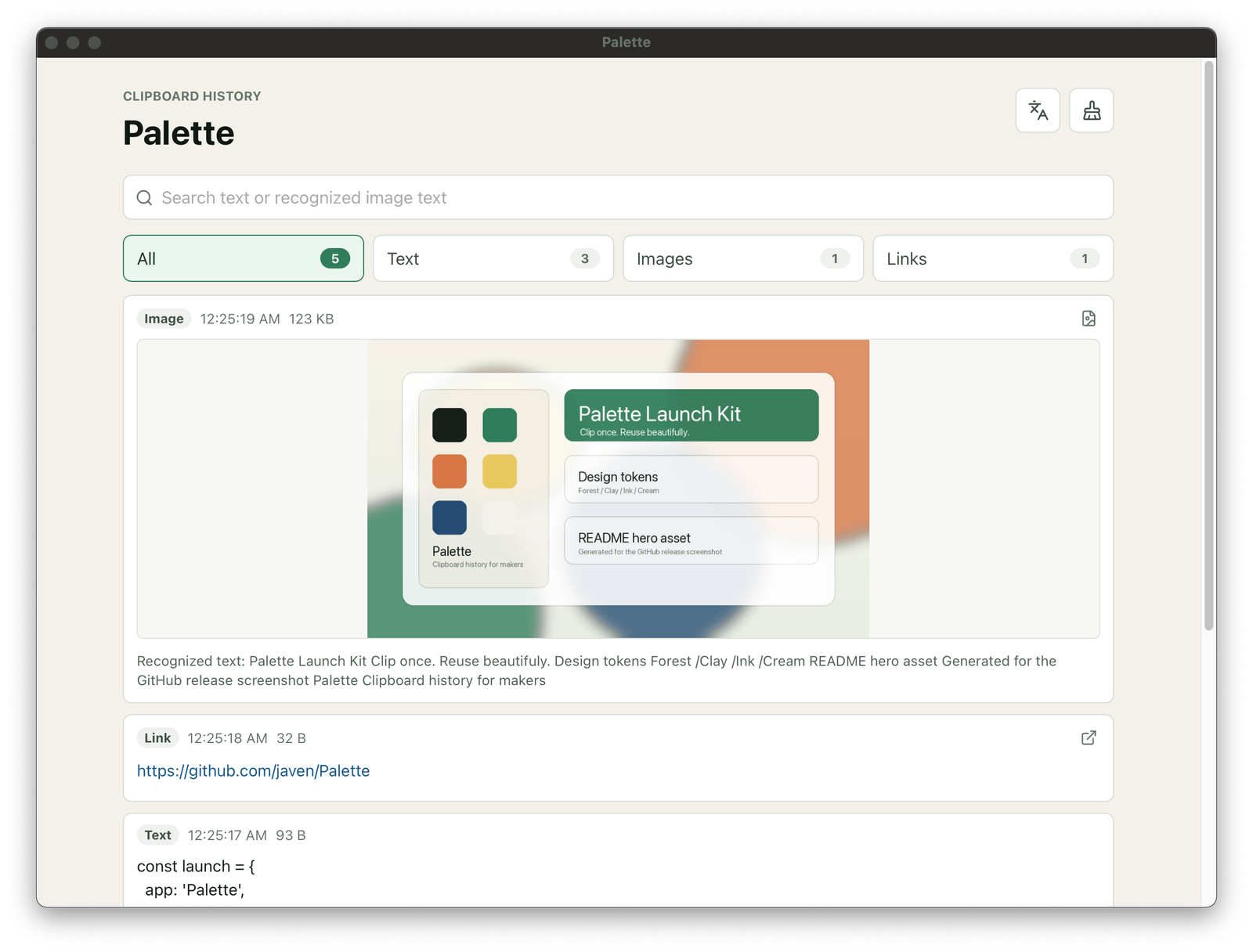
Keep copied content separate
Text, links, and images are shown in separate categories. When you need a command, a URL, or the screenshot you just took, you do not have to dig through one long list.
Find the latest 100 items again
Palette keeps the latest 100 clipboard entries and removes duplicates automatically. Snippets of text, addresses, and screenshots are still there when you need them later.
Search text inside images
Search does more than recognize copied text. If an image you copied earlier contains a line of text, remembering a few words is enough to find that image. This is especially useful for chat screenshots, error messages, and images with text in them.
Offline, with everything kept on this computer
All entries are stored locally and the app never needs a network connection. Clipboard content is not uploaded anywhere. What you have copied stays private.
Small and fast
Palette does one thing, clipboard history. It is small, and opening, searching, and restoring items is quick. The Apple Silicon installer for version 0.1.0 is 5.7 MB, while the app itself is about 11 MB.
This project is for macOS only. Windows already has a good enough clipboard history feature. Palette is meant to be a lightweight, native option for macOS.
Palette is built with Tauri 2, Rust, Vue 3, and TypeScript. It supports Chinese and English interfaces. The source code is on GitHub.